Analyze every angle of your game.
Video in, report out. AngleMotion turns the footage you already have into a permanent, shareable record of a player’s development — measured, corrected by you, and kept for as long as they play.
Sign in with Google and use every tool free for one hour — no card, no booking.
- Runs in your browser — nothing to install
- Your videos stay local — no cloud lock-in
- Works with Google Docs, YouTube and SwingVision
One player. One season. One file that keeps growing.
Every tool below exists because something in this timeline needed it. Scroll the season.
An illustrative timeline. The dates and readings are examples, not a real client’s record.
- MAR 04
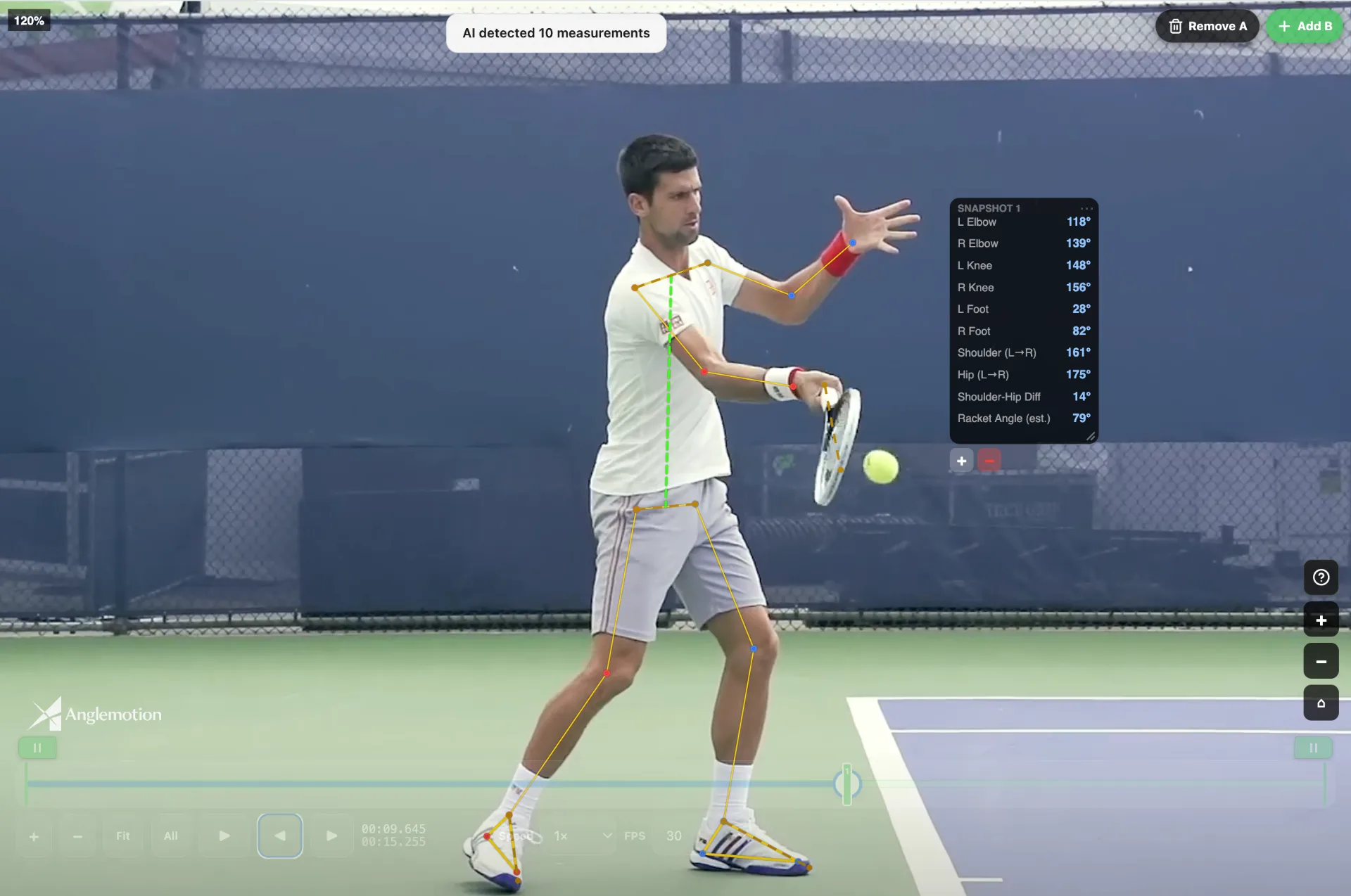
The stroke, measured.
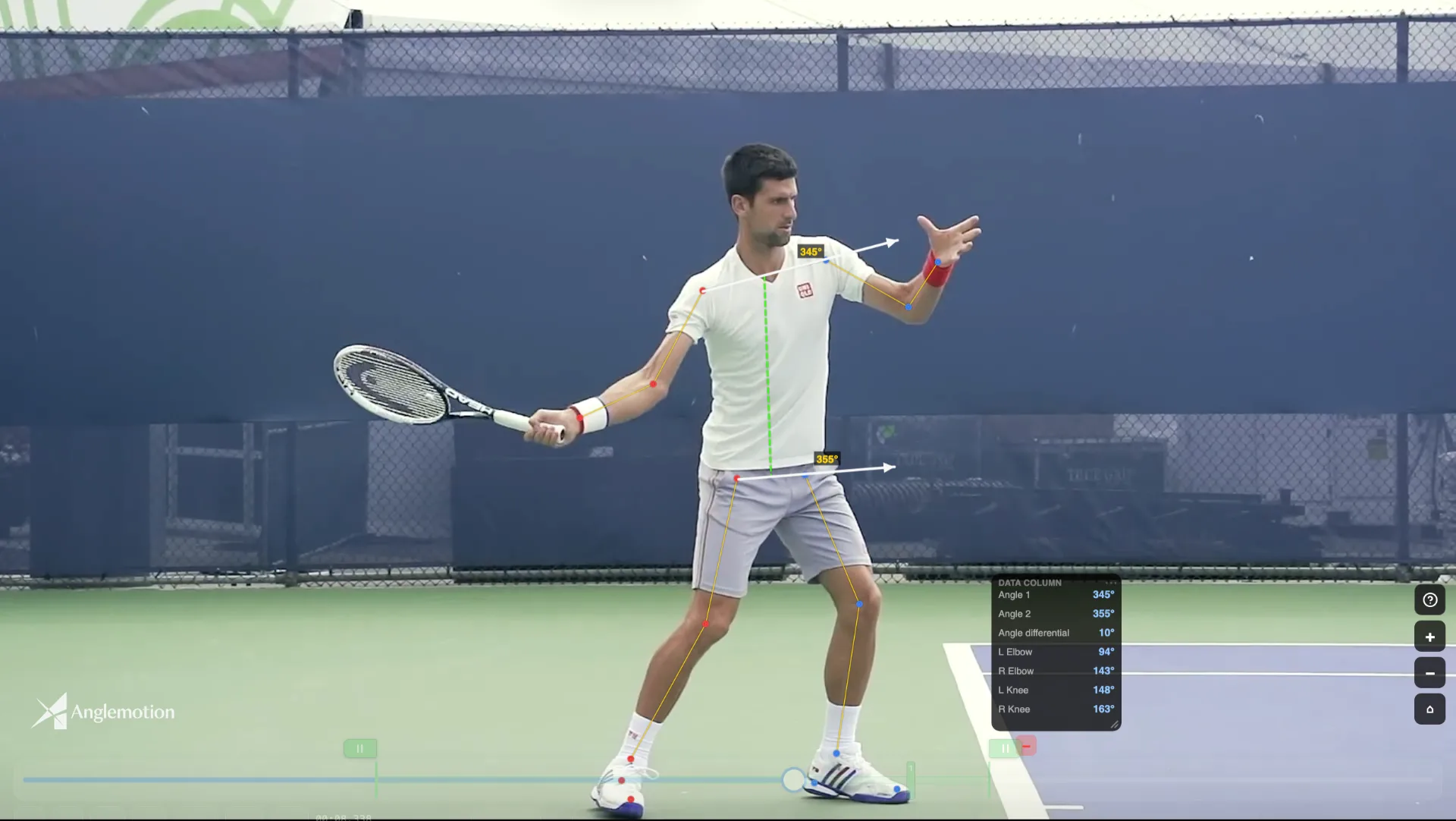
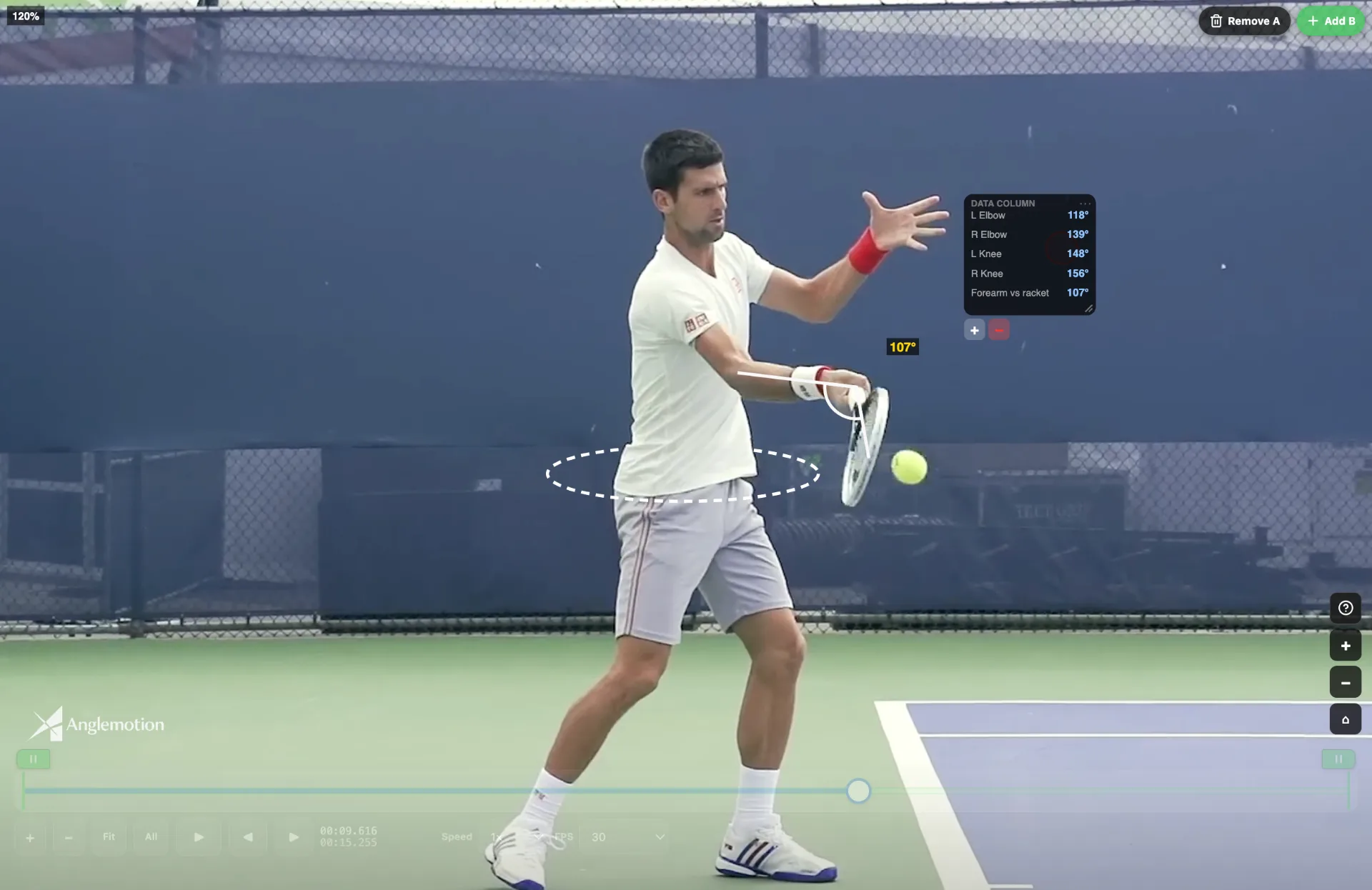
Elbows, knees, shoulder line, hip line — AngleMotion reads the joint angles off the frame and keeps every number in a data column beside the player. Draw your own angle arrows on top, compare two of them as a differential, and back every note with a real measurement instead of a guess.
- MAR 11
Centimetres, not pixels.
Calibrate once against something of known size — a racket, a net post, the service box — and the ruler measures real distance anywhere in the frame. Stance width, contact point, how far a knee travels: measured, not eyeballed.
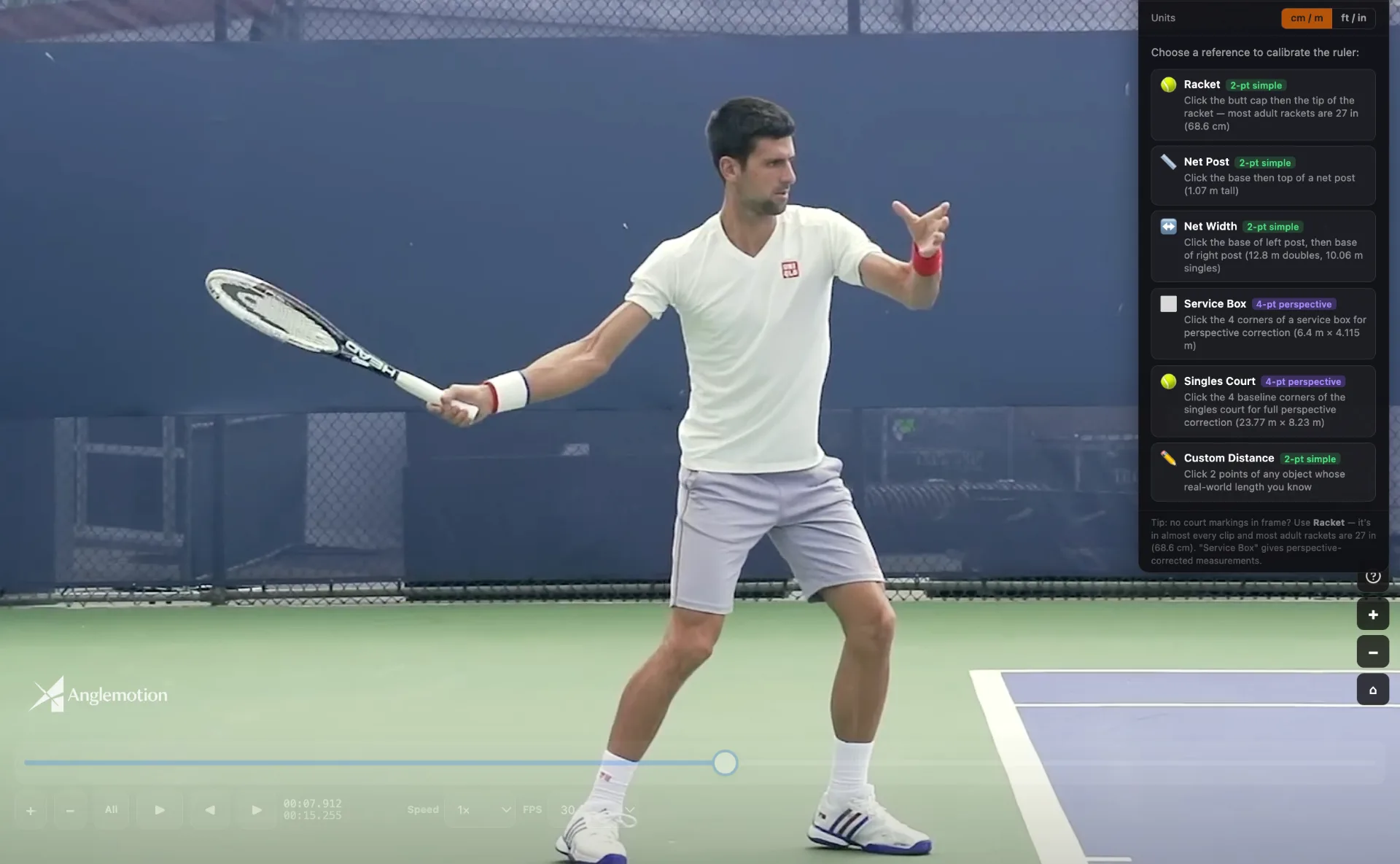
Pick a reference the clip already contains. 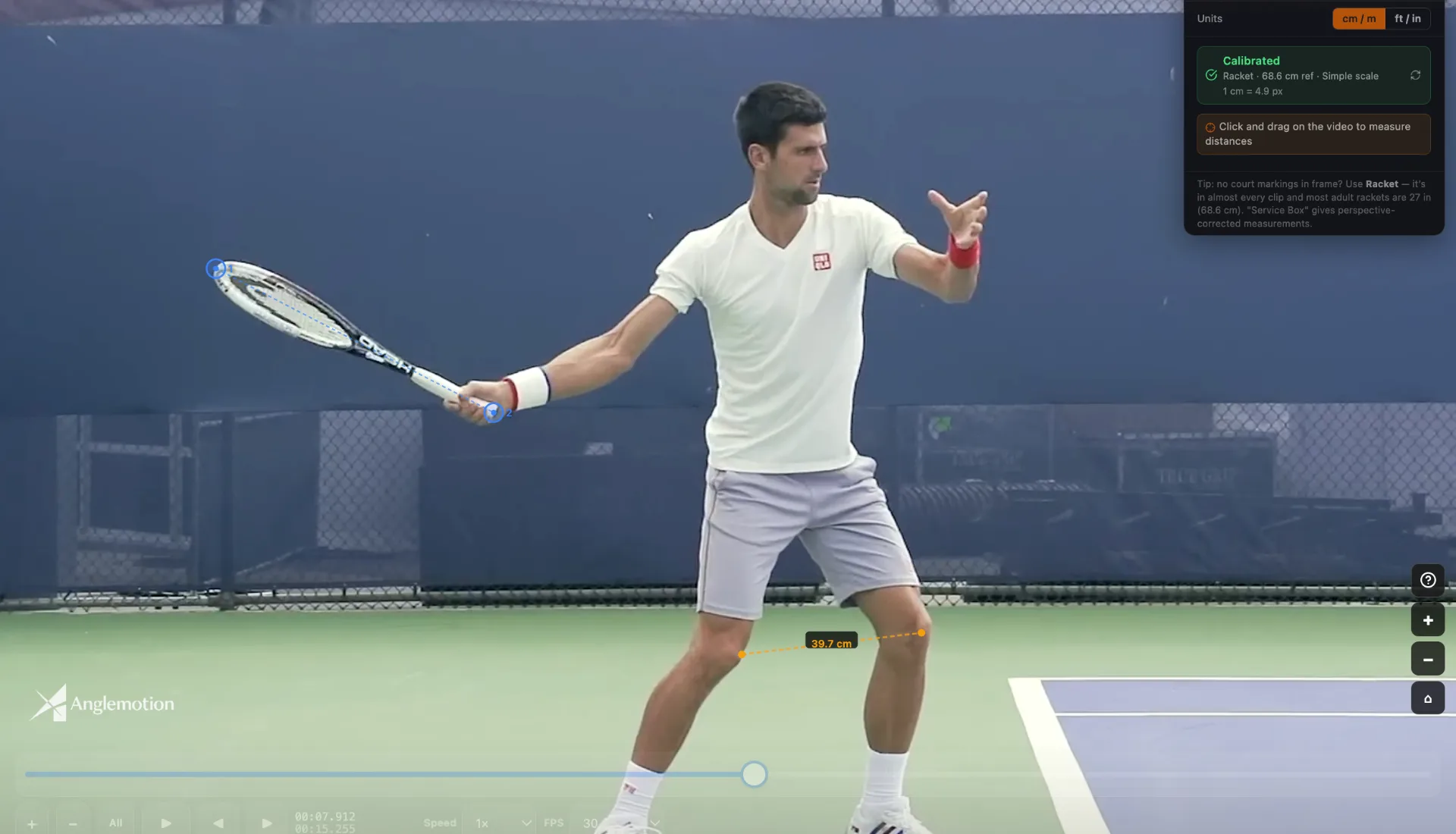
Calibrated on the racket: 39.7 cm, knee to knee. - MAR 18
The AI drafts. You decide.
Every skeleton keypoint and every angle the AI detects is yours to move. Drag any point, correct any angle, trust the read. AI-fast for the 90%, coach-accurate for the 10% that matters — no black box you can’t touch.
Trust the AI for speed. Trust yourself for the truth.
- APR 09
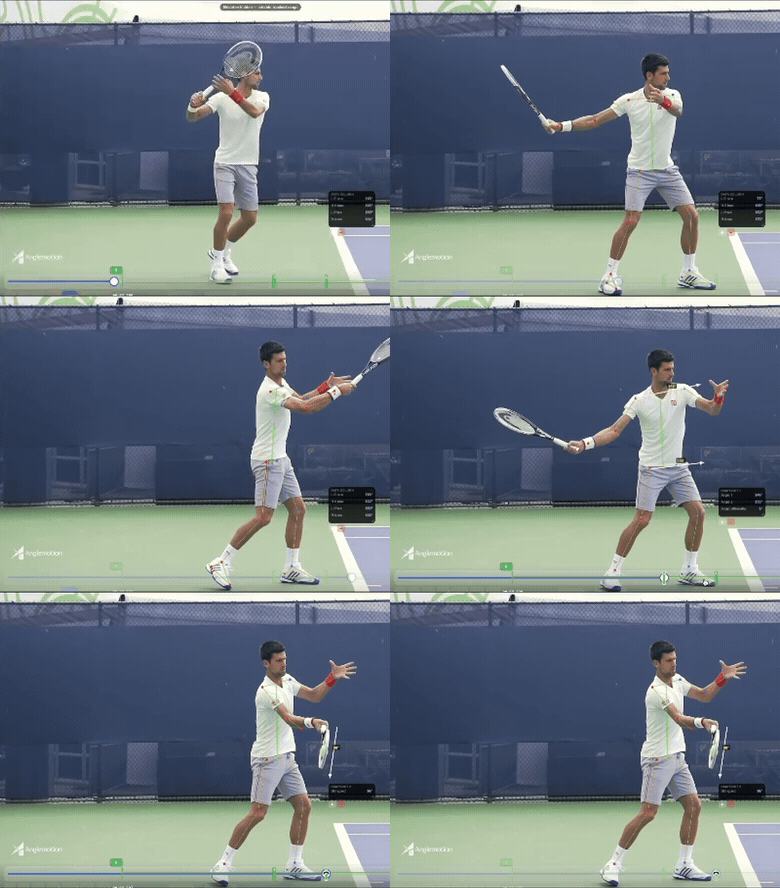
The whole stroke, at once.
Motion Layer turns a swing into a multi-position composite — as a still and as video. You choose the frames and the layers, so the trail shows the path you want the player to see. The demo that sells your coaching and the shareable that markets it.
Plus — it looks incredible.
- APR 27
Phase by phase, in slow motion.
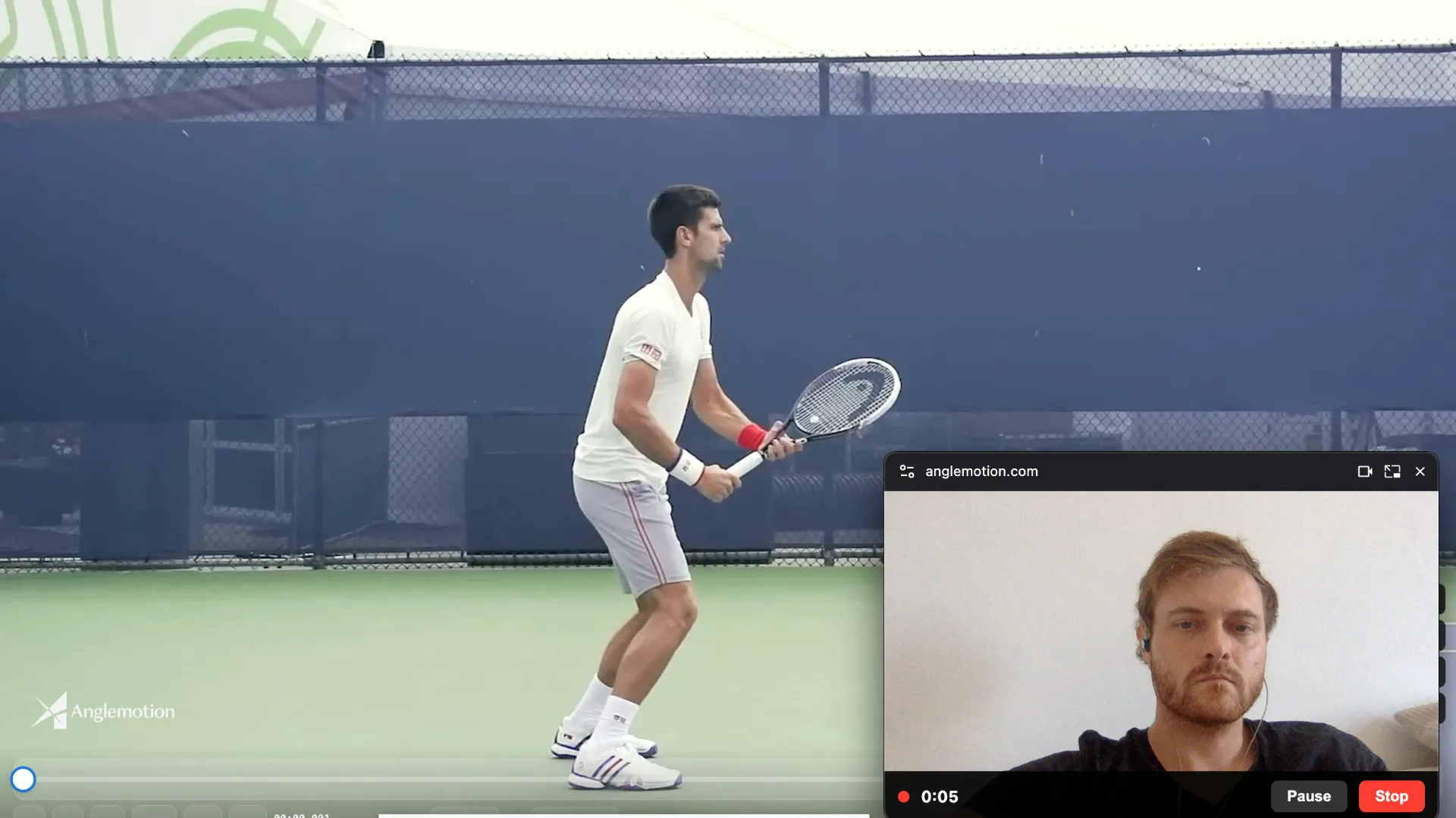
Snapshot every phase of the stroke and replay it frame-by-frame in slow motion, side-by-side, with angle overlays. Then screen-record it with your webcam and mic to deliver a same-day coaching video your player can rewatch until it clicks.
- MAY 16
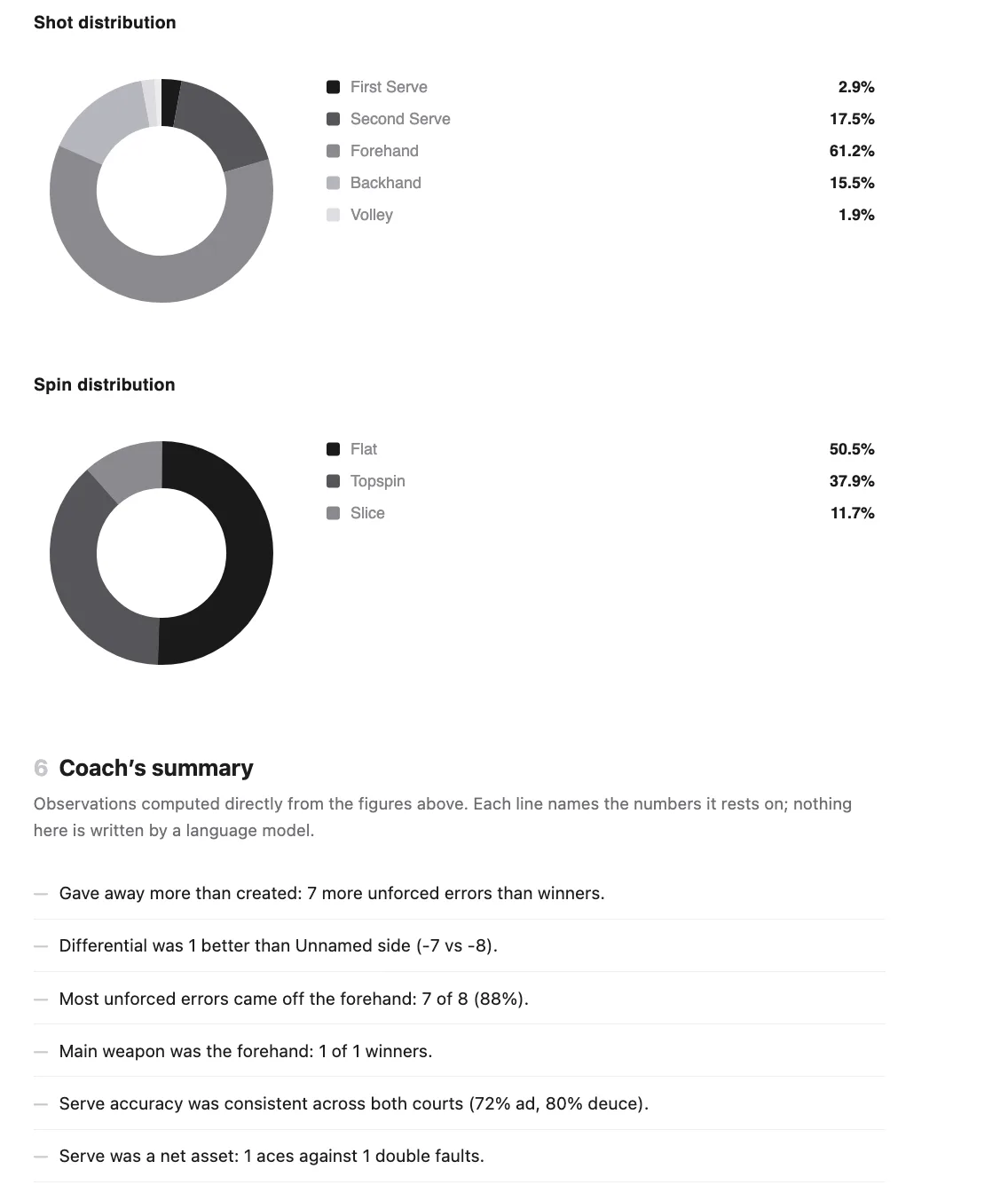
The match, in numbers.
Follow a player through a live match and log every point by hand, or let the Match Decoder read your SwingVision screenshots and derive the stats SwingVision doesn’t surface. Either way the match ends as data, not an impression.
- JUN 02
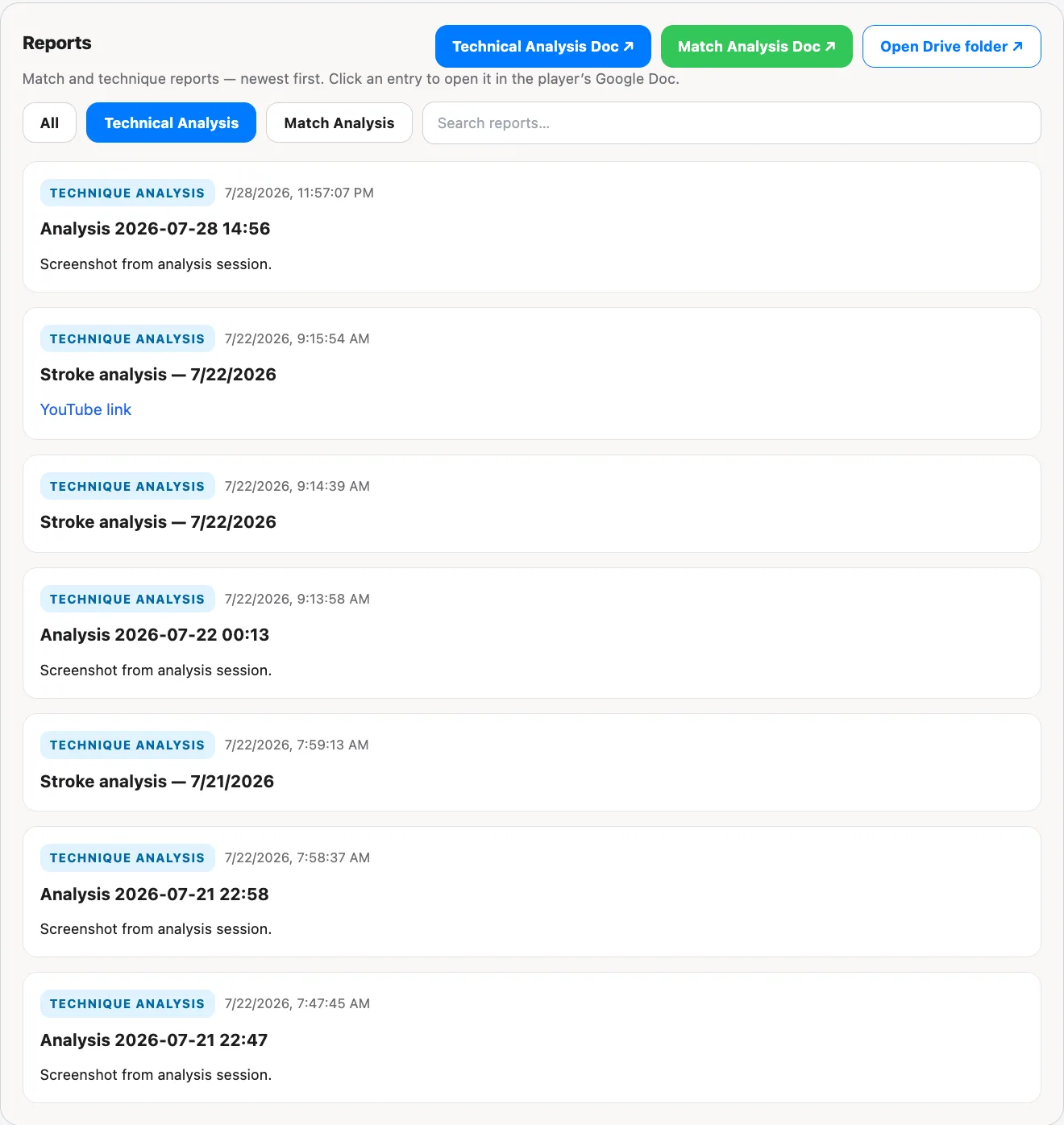
Two files that outlive the session.
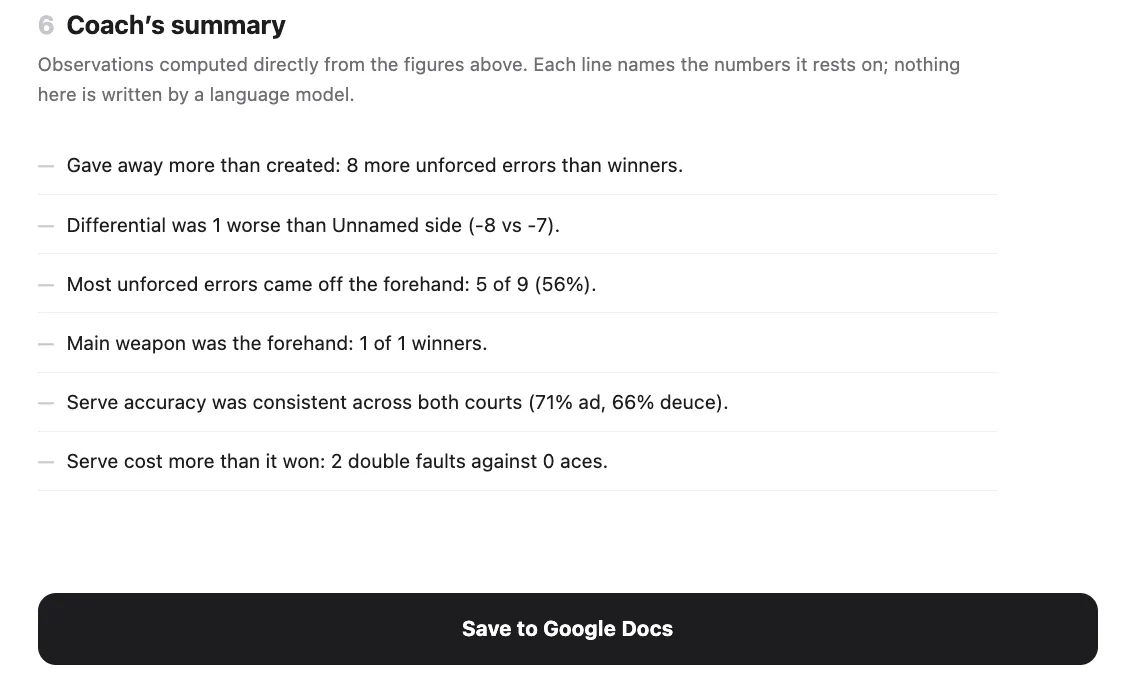
Every player carries two documents — technical analysis and match analysis — plus a player database and progress tracking across the whole season. Rivals hand you a clip and stop. This is the client file, the deliverable, and the storefront in one place.
Every student’s technical story in one file — from first lesson to nationals.
- JUN 21
Published, linked, handed over.
Push the finished video to your own YouTube channel as unlisted and save the link to the player’s report, which is a Google Doc. No AngleMotion storage limit: your videos live on your YouTube, your reports in your Google Drive. Unlisted means anyone with the link can watch, and Google’s own account limits still apply.
Part of Pro and Academy: the player database, YouTube upload and Docs export.
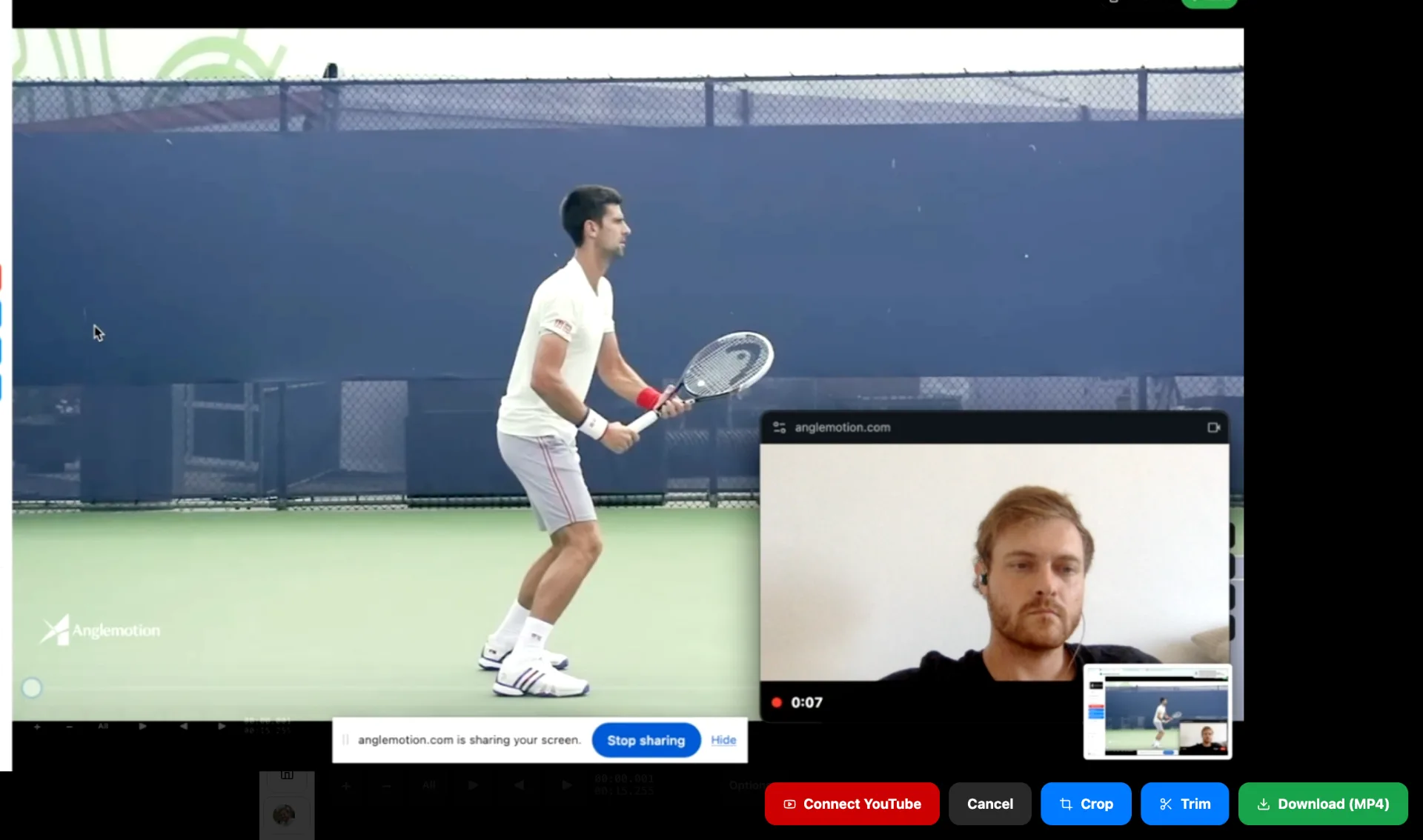

From footage to a finished report, in six steps.
The whole loop, start to finish. No step needs a second app.
- 01
Bring the video in
Upload from your camera roll or pull from Google Drive. Nothing to install.
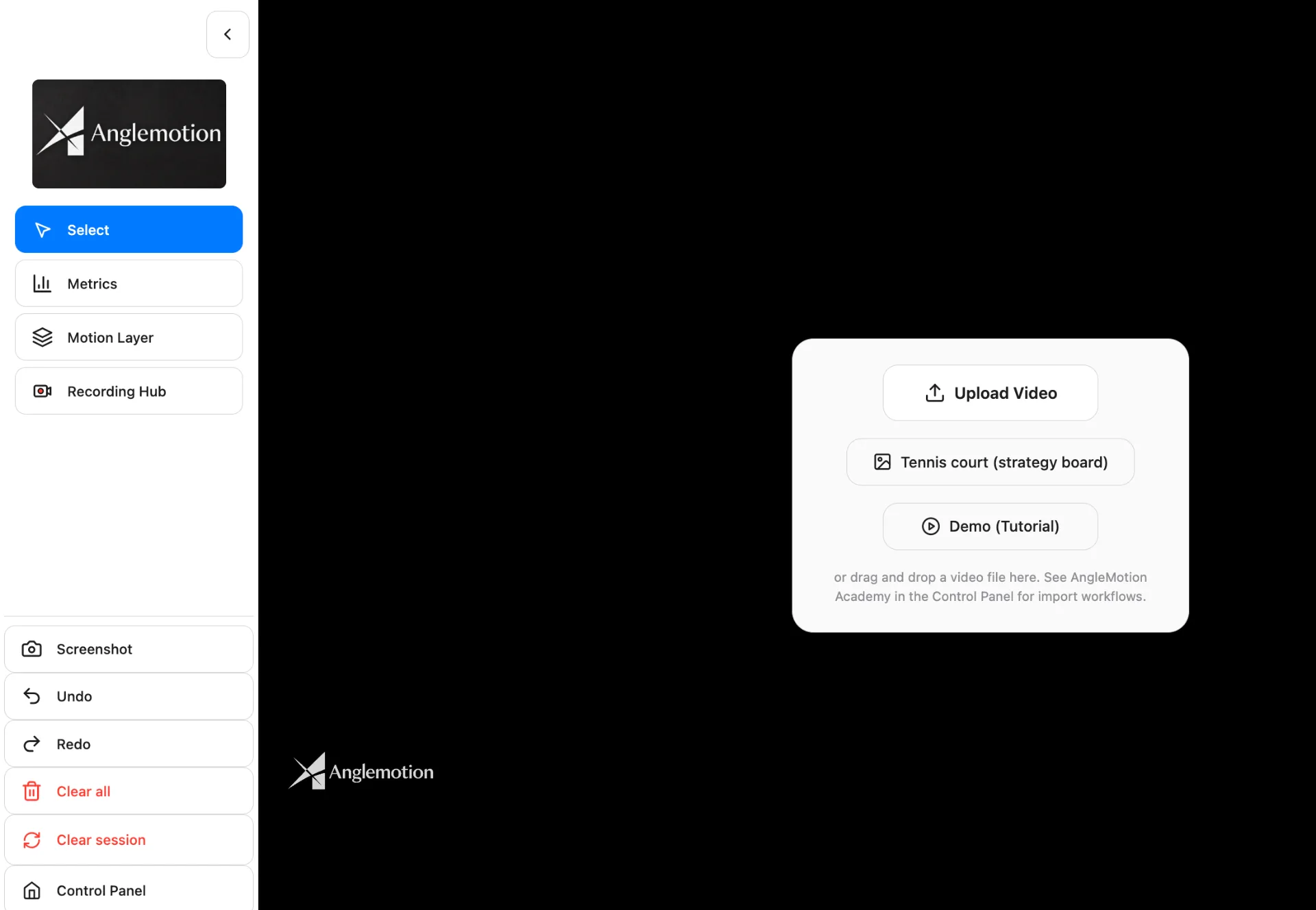
- 02
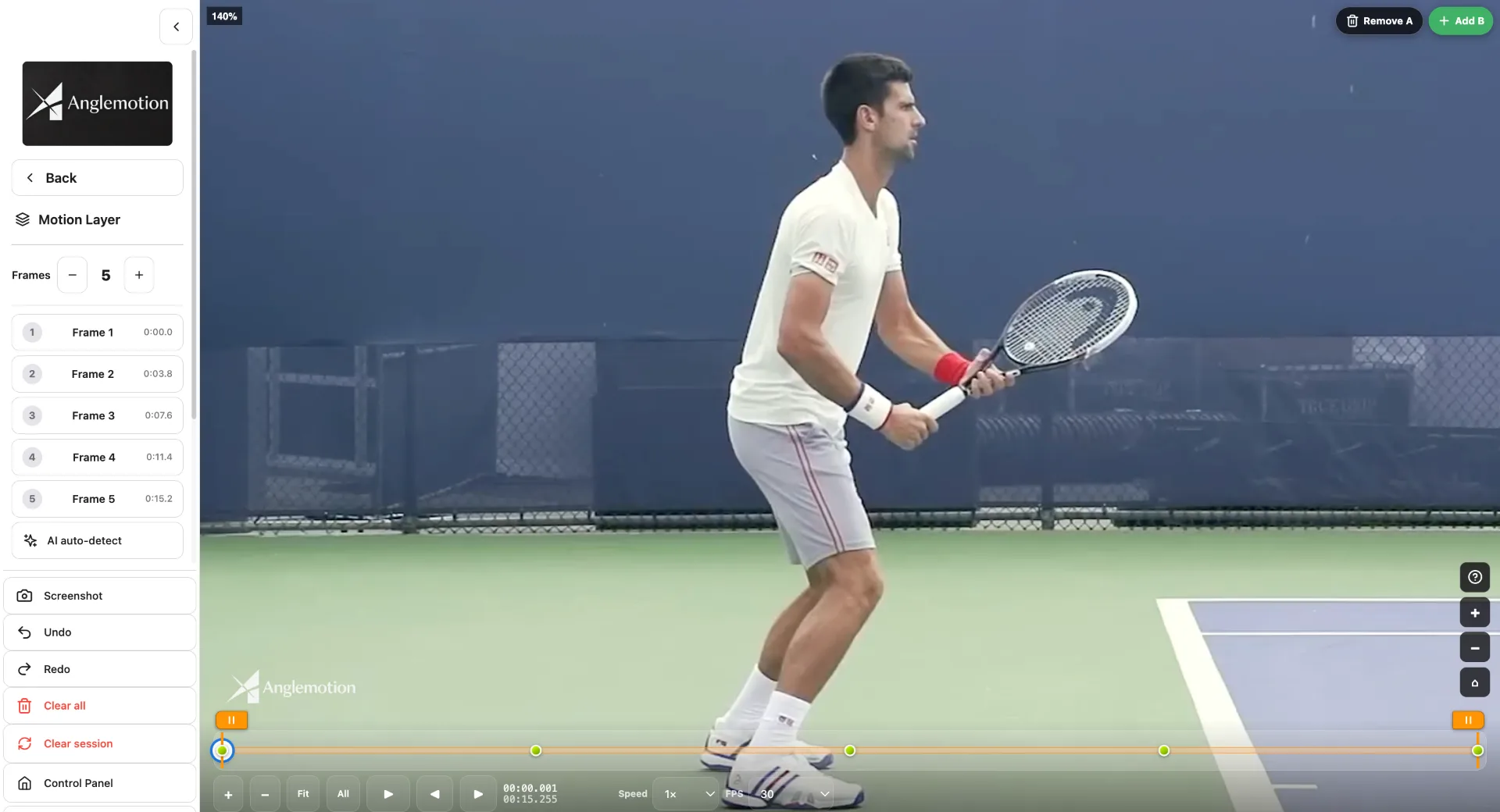
Find the frame
Step frame-by-frame to the moment that matters and snapshot it as a phase.
- 03
Let the AI read it
Run pose detection and AI Detect Angles, then correct any point the AI got wrong.
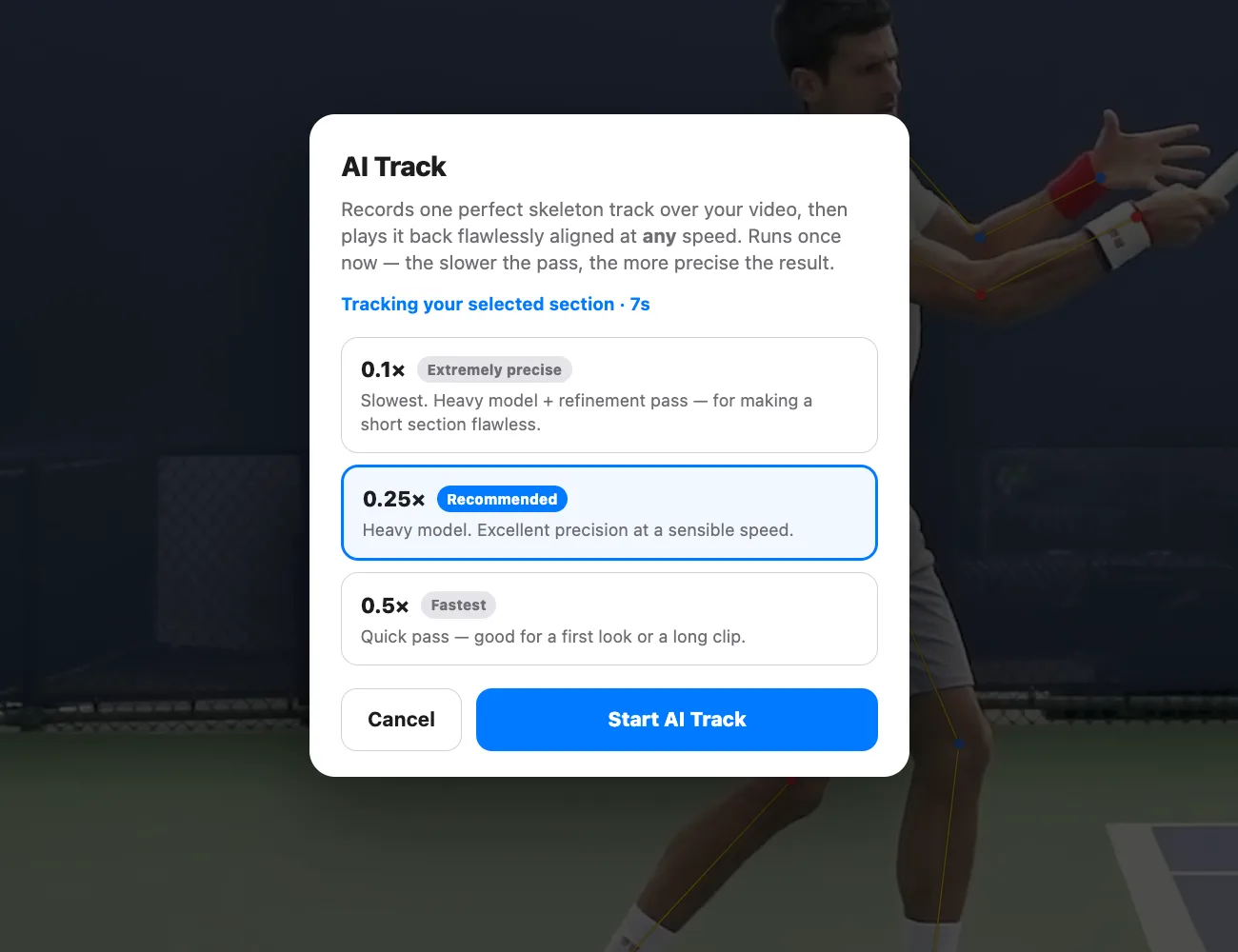
- 04
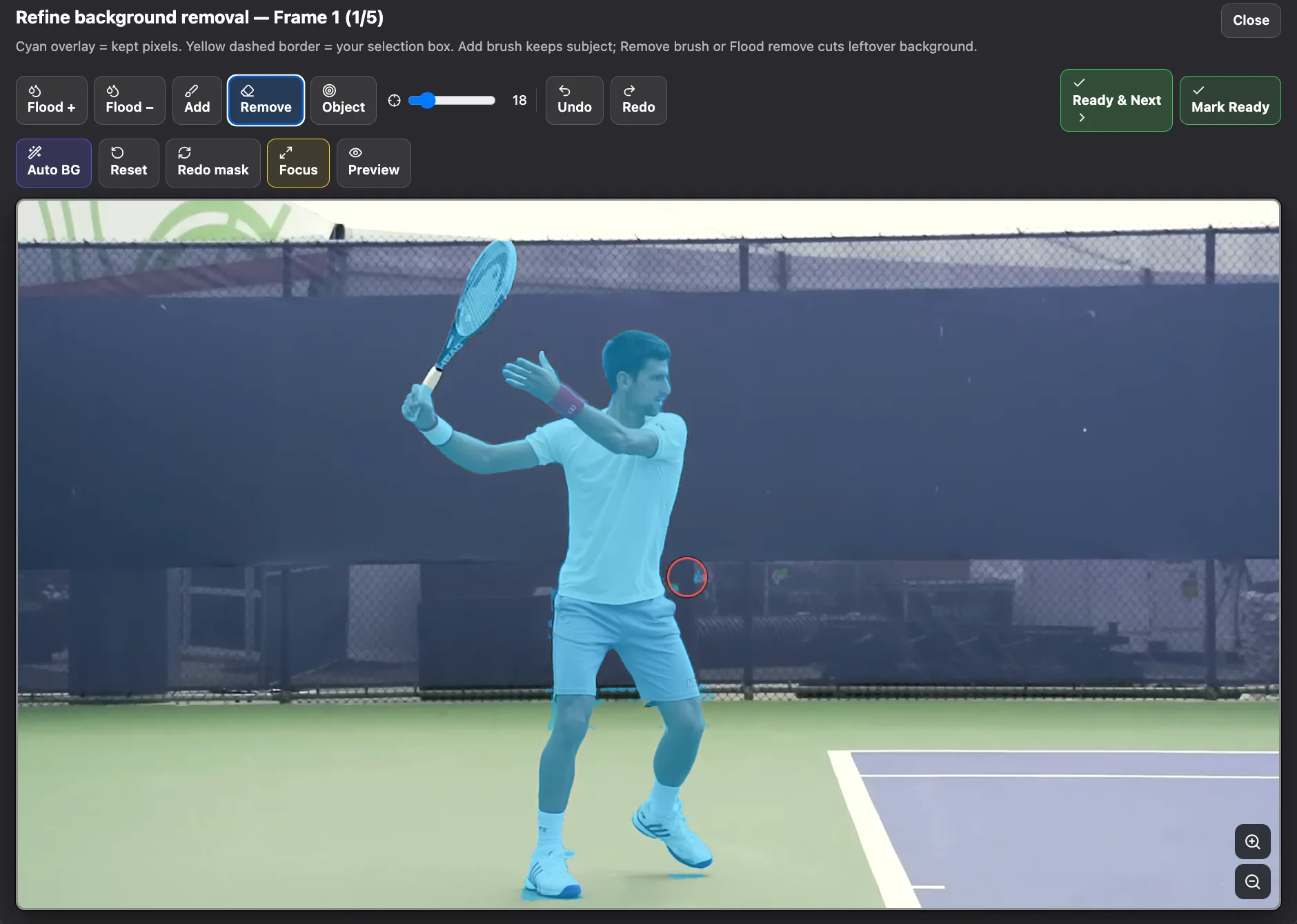
Build the composite
Pick your frames and layers and generate the Motion Layer still or video.
- 05
Record the explanation
Capture screen, webcam and mic in one hub while you talk the player through it.
- 06
Send the report
Publish to YouTube, drop everything into the player’s document, and share the link.
Learn what to film, and what to look for.
AngleMotion Academy is a growing library of eBooks, guides and drill breakdowns that teach the craft behind the tool — how to set up a shot, which phase of a stroke actually explains a fault, and how to turn a reading into something a player can act on. Coaches use it to sharpen their eye. Players and parents use it to analyse themselves properly instead of guessing.
Included with every plan.
About Vin Baccelli, founder & coach.
AngleMotion was built by a working tennis coach to do the job he was already doing by hand. The reviews below are of Vin’s own coaching analysis — the practice the tool came out of.
Vin is truly an expert in biomechanics. He did an incredible job analyzing my son’s forehand, providing insights and analysis at a level I’ve never encountered before.
Vin gave me an amazing review about my swing… he saw areas of improvement my coach has never detected before… he really cares that I improve my game.
I’ve recently come across Vin’s content and I’ve been really impressed so far. Communication has been great and he has taken the time to answer all my questions.
Thank you Vin, your feedback was so, so useful — very professional, technical, and precise… your analysis is worth far more than the price… none went into this level of detail.
Vin’s expertise in biomechanics is remarkable. His thorough analysis of my son’s forehand revealed insights at a depth I’ve never experienced.
Outstanding tennis video analysis — clear, detailed and highly professional. A clear, structured breakdown of his stroke mechanics.
Great experience — great analysis, highly recommended.
All reviews on Trustpilot are 5 stars — for the app and Vin’s coaching analysis
Pricing that fits how you coach.
Light
For players and coaches who want to measure and mark up a stroke.
€10.75/mo
€129 billed yearly · Save 16.7%: two months free
- Every drawing tool: lines, arrows, angles, shapes and text
- Ruler, joint chain and angle differential
- AI skeleton
- AI Detect Angles, every reading yours to edit
- Data column beside the player
- One snapshot: the frame AI Detect Angles captures
- Screenshots
- AngleMotion Academy
Pro
For coaches running a coaching business.
€24.92/mo
€299 billed yearly · Save 28.6%
- Everything in Light
- Recording Hub: screen, webcam and mic
- Motion Layer composites
- YouTube upload
- Player database, and saving to a player from the analysis screen
- AI Track: precision skeleton tracking
- Generate: phase captures and slow-motion replay
- Multi-phase snapshots
- Manual match analyzer and Match Decoder
- Google Docs report export
- Your public coach profile
Academy
For academies and multi-coach teams.
€49.92/mo
€599 billed yearly · Save 28.6% · up to 4 coaches
- Everything in Pro
- Up to 4 coaches: you plus 3
- One subscription, central billing
Pro and Academy billed yearly include the Spin Mechanics ebook. Prices are final: no extra taxes at checkout.
Questions, answered.
A browser-based tennis video-analysis platform: AI skeleton + angle detection you can edit by hand, Motion Layer composites, slow-motion phase replays, a recording hub, and per-player Google Docs coaching reports — all in one place.
Start your first file today.
One hour of every tool, free. Bring a video you already have (or use our demo video) and see what comes out the other side.
Used AngleMotion? Tell us what you think.